
 by
by What would happen if your child needed emergency medical treatment right now, and you were three states away?
Not a scary hypothetical. A real scenario that plays out across the US every single day, and one that a notarized temporary guardianship form could resolve in minutes if the paperwork is already in place.
Most parents do not think about guardianship documents until they need one urgently. Then they find out the form has to be notarized, that the local notary closed an hour ago, and that the school or hospital cannot legally accept anything without that seal.
You will learn exactly what a temporary guardianship form covers, when you also need Form DS-3053 or an affidavit of residency, what online notary Florida and online notary Texas laws actually require, and how to get the whole thing notarized through eNotary On Call before you go to sleep tonight.
So, without any further ado, let’s get started!
What Is a Temporary Guardianship Form?
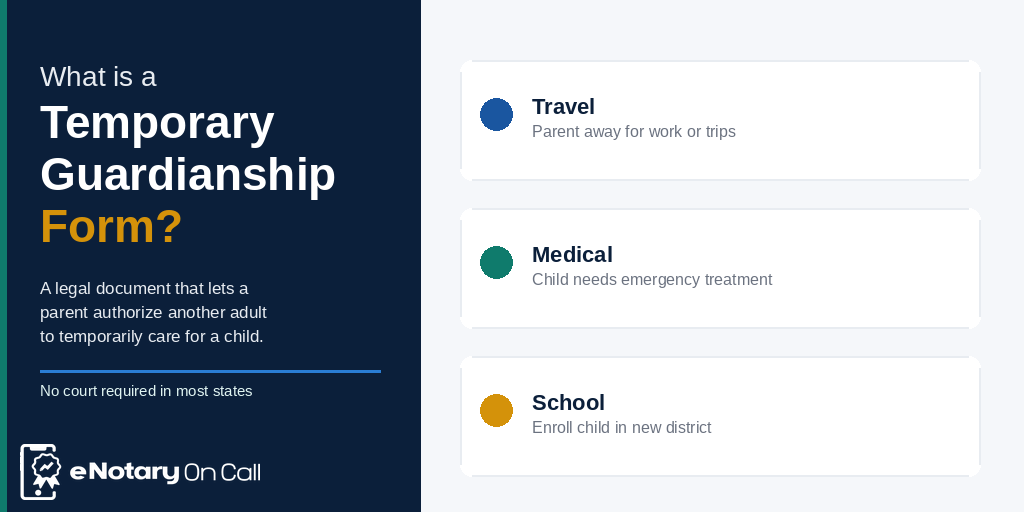
A temporary guardianship form is a legal document that allows a parent or legal guardian to authorize another trusted adult to temporarily care for a minor child. It delegates specific decision-making authority, such as medical consent, school enrollment, and daily care decisions, to the named guardian without permanently transferring custody or parental rights.
According to legal experts, this form typically covers a defined period, often six months or less and does not require a court proceeding in most cases, as long as it is properly executed and notarized.
A temporary legal guardianship form is not the same as full guardianship. It is not a custody transfer. It is simply a parent saying, I trust this person to make decisions for my child while I am unavailable.
When Do You Actually Need One?
Parents reach for temporary guardianship forms in more situations than you might think:
- You are traveling internationally or domestically for an extended period
- A medical situation prevents you from being present
- You are a military parent facing deployment
- You need a grandparent or family member to enroll your child in school
- Your child needs emergency medical treatment and you cannot be reached
- You are applying for a passport for your minor child and one parent cannot appear in person (this is where Form DS-3053 comes in)
- You want to authorize a caregiver to handle emergency decisions
If someone other than you needs to make legal decisions for your child, even temporarily, a notarized temporary guardianship form is how you make that legal and official.
Why Does a Temporary Guardianship Form Need to Be Notarized?
This is the question most parents ask first.
Because an unnotarized form is not legally binding in most states. Schools, hospitals, courts, and government agencies routinely reject guardianship documents that lack a valid notarial seal. Texas law, for example, explicitly requires authorization agreements to be notarized under Texas Family Code Chapter 34. Without notarization, the form may simply not be accepted.
Notarization serves three specific purposes here:
- Identity verification – The notary confirms that the person signing the form is who they claim to be.
- Willingness – The notary verifies the signer is acting voluntarily, without pressure or coercion.
- Authenticity – The notarial seal and certificate make the document tamper-evident and legally defensible.
What Is the Difference Between Temporary Guardianship Forms and a Full Guardianship?
Before diving into how to notarize quitclaim deed online or any of these documents, it helps to understand what you are actually signing.
Temporary guardianship forms are short-term arrangements, typically for weeks or months. They do not go through probate court in most states, and parental rights remain fully intact.
Full legal guardianship is a court-ordered arrangement where someone other than the parent assumes long-term legal responsibility for a child. It requires court proceedings, judge approval, and in many cases, involves permanent or semi-permanent transfer of parental rights.
For most families dealing with travel, medical situations, or temporary separations, a properly notarized temporary legal guardianship form is all that is needed.
Understanding Form DS-3053: The Federal Document That Often Gets Confused With Guardianship
If you have been searching for help with notarizing guardianship-related forms, you have probably run into Form DS-3053 and may have gotten confused.
Here is a clear breakdown.
What Is Form DS-3053?
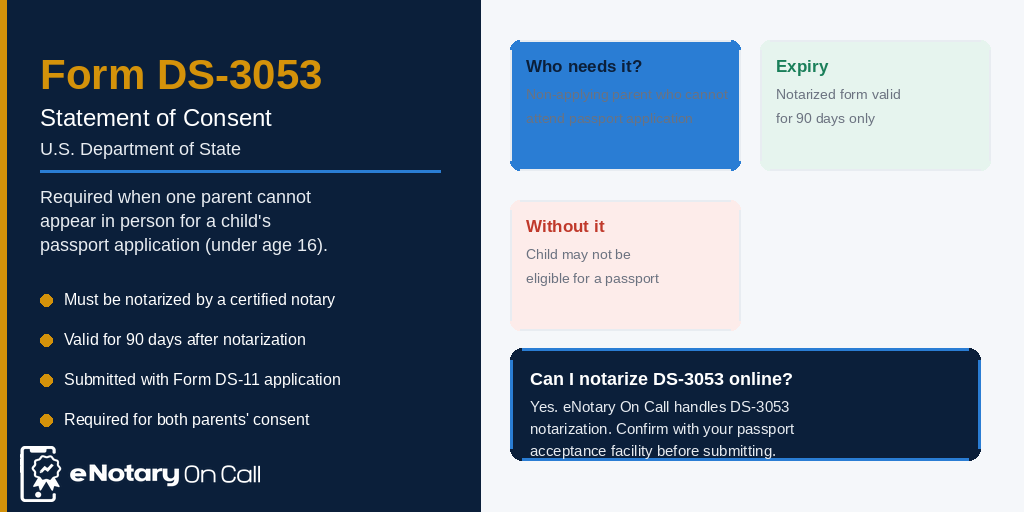
Form DS-3053, officially titled Statement of Consent: Issuing a U.S. Passport to a Minor Under Age 16, is a federal document from the U.S. Department of State. It is required when one parent or legal guardian cannot appear in person at a passport acceptance facility when applying for a child’s passport.
U.S. passport law requires both parents or legal guardians to consent to a passport being issued for a child under 16. When one parent cannot appear in person, that parent must complete, sign, and have Form DS-3053 notarized by a certified notary public near me.
Key facts about Form DS-3053:
- The notarized form must be submitted within 90 days of the date of notarization
- The absent parent must present valid photo ID to the notary
- If the absent parent is a military member deployed overseas, they can still notarize Form DS-3053 in most cases
- The U.S. Department of State does not explicitly prohibit remote online notarization (RON) for DS-3053, though acceptance can depend on the specific passport acceptance facility
What Is an Affidavit of Residency, and When Does It Come Up?

Another document that frequently appears alongside temporary guardianship forms is the affidavit of residency. This is a sworn, notarized statement confirming where a person lives.
When a temporary guardian enrolls a child in a new school district, the district often requires an affidavit of residency to verify that the guardian and child live within the district’s attendance boundaries. Without this notarized document, school enrollment can be delayed or denied.
An affidavit of residency typically includes:
- The affiant’s full legal name and date of birth
- The current residential address
- Duration of residence at that address
- A sworn declaration that the information is truthful
- The notary’s seal, signature, and certificate
Being able to notarize affidavits online including the affidavit of residency in the same session as a guardianship form is one of the biggest time-savers modern online notarization platforms offer. You do not have to run around to multiple offices for different documents.
How to Notarize a Temporary Guardianship Form Online? Key Steps to Follow!

This is the practical part. Here is exactly how the process works on an online notarization platform like eNotary On Call.
Step 1. Prepare Your Temporary Guardianship Form
Before you connect with a notary, make sure your temporary guardianship form is properly filled out. Every blank field matters. Here is what the form should include:
- Full legal names of both parents (or legal guardians)
- Full legal name and date of birth of the minor child
- Full legal name, address, and relationship of the temporary guardian
- Specific start and end dates of the guardianship period
- Scope of authority granted (medical, educational, travel, or all of the above)
- Signature lines for the parent(s), the guardian, and, in some states, the minor (if age 14 or older)
If you are in Texas, your temporary guardianship form Texas must comply with Texas Family Code Chapter 34. These arrangements typically last up to six months and automatically renew unless terminated. They do not transfer custody.
If you are using a RON platform like eNotary On Call, you can upload your document directly to the platform and even make final edits before your notarization session begins. That is a feature most people do not know they have access to.
Also Read – How to Fill Out a Residency Affidavit Correctly and Get It Notarized in Minutes
Step 2. Verify Your Identity
Every online notarization session begins with identity verification. The certified notary will confirm your identity through:
- A government-issued photo ID (driver’s license, state ID, or passport)
- Knowledge-Based Authentication (KBA), which is a series of questions drawn from your credit and public records history
- Facial recognition technology that matches your face to your ID
Under Florida’s RON law (Florida Statute 117.265), online notaries must confirm identity through credential analysis plus knowledge-based authentication with a minimum of five questions answered with at least 80% accuracy within two minutes. Texas has its own similar requirements for remote notarization.
Step 3. Join the Live Video Session
This is where the actual notarization happens. You connect with a commissioned, state-licensed notary through a secure two-way audio-video call. The notary:
- Reviews your document live on screen
- Witnesses your signature in real time
- Applies their digital seal and electronic signature to the document
- Completes the notarial certificate
The entire live session typically takes under 10 minutes for a standard temporary guardianship form.
Step 4. Receive Your Notarized Document
Once the session ends, your fully executed, court-admissible notarized document is delivered directly to your email inbox. You can print it, save it digitally, or share it electronically with the school, hospital, or agency requesting it.
Also Read – Biometric Analysis vs. Human Review: Why We Use Both?
Moving on, let’s quickly discuss:
Notarize Affidavits Online: The Role of Affidavits in Guardianship Cases

Affidavits show up in guardianship situations more often than parents expect. Here are the most common types you might need to notarize affidavits online alongside your guardianship form:
1. Affidavit of Residency
As discussed earlier, an affidavit of residency is required when a temporary guardian enrolls a child in school and needs to prove the child lives within the district. It is a sworn statement about where the guardian and child currently reside.
2. General Affidavits of Support or Authority
Sometimes a school, hospital, or government agency asks for a separate affidavit stating that the temporary guardian has the authority to act on behalf of the child. This is separate from the guardianship form itself and also needs notarization.
3. Witness Affidavits
In situations where a guardianship is contested or where it needs to be submitted to a court, witness affidavits (sworn statements from people who can confirm the facts of the guardianship arrangement) must also be notarized.
Every one of these documents can be handled through eNotary On Call’s online platform. The ability to notarize affidavits online in the same secure session as the guardianship form itself makes the process significantly more efficient for families dealing with stressful situations.
Also Read – Instant vs Scheduled Remote Notary Near Me: Avoid Appointments
Notarize Quitclaim Deed Online: Why This Comes Up in Guardianship Situations
This connection surprises many people, but it is more common than it sounds.
When a grandparent or family member takes on temporary legal guardianship of a child, there are occasionally property-related transactions that need to happen simultaneously. For example:
- A grandparent may need to transfer property to ensure a child’s housing stability during the guardianship period
- A parent setting up a guardianship arrangement while traveling may also need to handle a real estate transaction
- In divorce or separation situations, temporary guardianship arrangements are often executed alongside property transfers
If you need to notarize a quitclaim deed online at the same time you are handling a temporary guardianship form, eNotary On Call handles both. A quitclaim deed transfers ownership interest in a property from one party to another without making any warranties about the title. It is commonly used between family members and must be notarized to be recorded.
Being able to notarize quitclaim deeds online through the same platform where you handle guardianship paperwork removes the need to coordinate multiple separate appointments with different notaries.
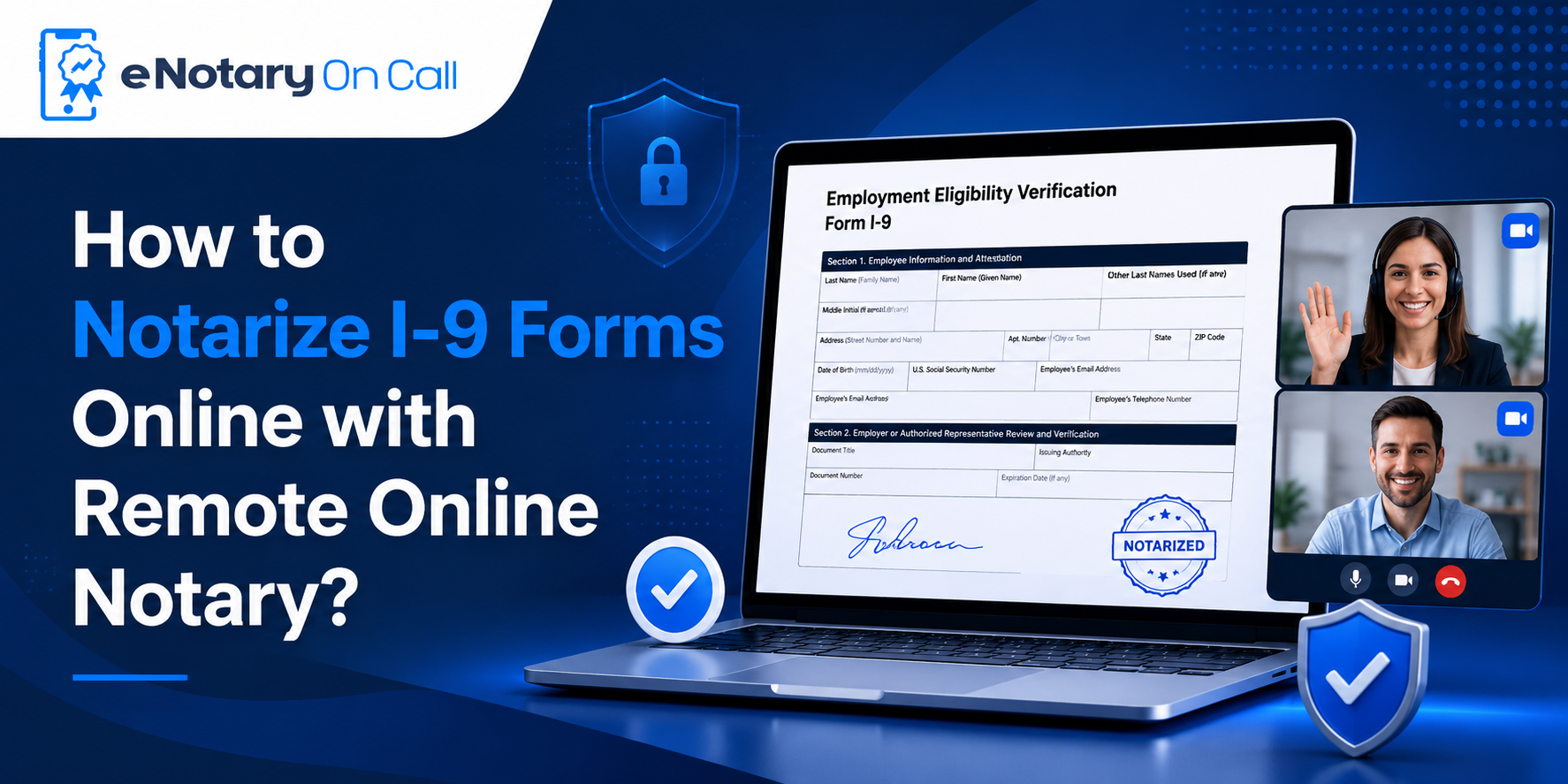
Also Read – How to Notarize I-9 Forms Online with Remote Online Notary?
Where Is Online Notarization of Guardianship Forms Accepted?
As of 2024, 47 states and the District of Columbia have enacted laws allowing some form of remote online notarization. More than 40 of those states have permanent RON legislation in place.
What this means practically:
- Florida: Full RON since January 2020. Temporary guardianship forms notarized online are valid and legally recognized.
- Texas: RON permitted under state law. Temporary guardianship forms, affidavits, and related documents can all be notarized online.
- California: SB 696 signed in 2023, with RON provisions taking effect in 2024 (though not full RON until later provisions kick in)
- New York, Pennsylvania, Ohio, Georgia, Michigan: All have permanent RON laws in place
- Virginia: The pioneer state for RON, with legislation dating back to 2011
If you need a state-specific breakdown, eNotary On Call has individual landing pages for all 50 states at enotaryoncall.com.
Also Read – Electronic Signature vs Digital Notarization: Key Differences!
Key Market Facts: The Rise of Online Notarization in the US
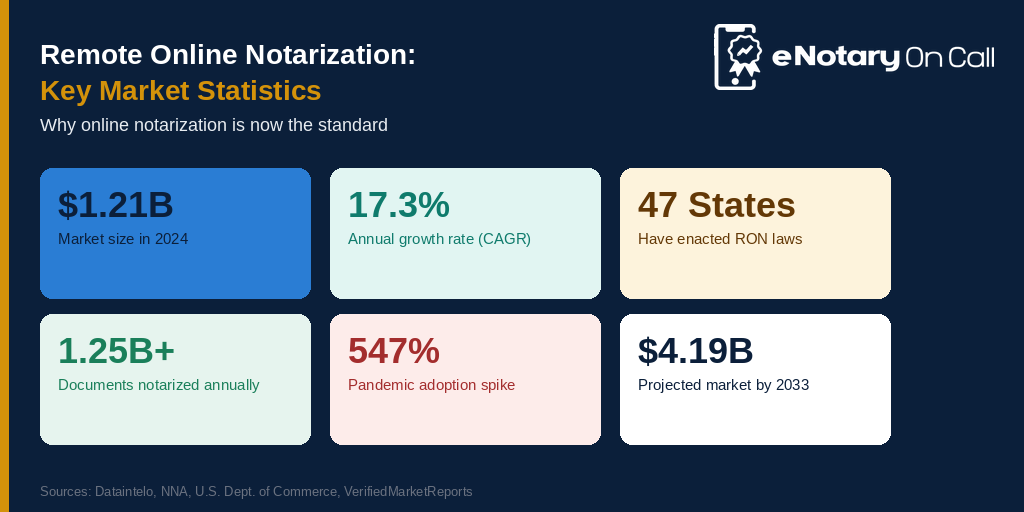
These numbers give you a sense of how dramatically the notarization industry has shifted in recent years:
- The Remote Online Notarization (RON) software market was valued at $1.21 billion in 2024 and is projected to reach $4.19 billion by 2033, growing at a CAGR of 17.3%
- Over 1.25 billion documents are notarized annually in the United States
- As of 2024, 47 states and DC have enacted some form of RON legislation
- The National Notary Association (NNA) reported that more than 30 states had implemented permanent RON legislation by 2024
- Remote online notarization adoption rose by 547% during the COVID-19 pandemic, and that adoption has been sustained
- North America holds 40% of the global online notary software market share
These numbers show one thing clearly: online notarization is not a workaround or a pandemic-era experiment. It is the new standard. Schools, hospitals, courts, and government agencies across the country now routinely accept digitally notarize out of the state documents.
What Makes eNotary On Call Different?

eNotary On Call is not just another notary booking site. It is a fully AI-powered, MISMO-certified, SOC 2 Type II compliant remote online notarization platform built specifically for the way people actually live today.
Here is what sets it apart when you need to notarize a temporary guardianship form:
1. 24/7 Availability
Guardianship situations rarely happen during business hours. eNotary On Call’s certified notaries are available around the clock, every day of the year. If the school calls at 8 PM and needs a notarized document by morning, you can handle it tonight.
2. Under 10 Minutes Average Session Time
The platform connects you with a live notary fast. The average notarization session on eNotary On Call takes under 10 minutes from start to finish.
3. Document Editing After Upload
You can upload your temporary guardianship form and still make edits before the notarization session begins.
4. All-in-One Sessions
Need to notarize a guardianship form, an affidavit of residency, and a DS-3053 in the same session? eNotary On Call handles multiple documents in a single video call.
Also Read – How to Notarize a Passport or Travel Consent Form for a Child?

5. Compliance Across All 50 States
Whether you need an online notary Florida, an online notary Texas, or a notary for any other state, eNotary On Call’s platform is built to comply with every applicable state RON law.
6. AES-256 Encryption
Every document and session is protected with bank-grade encryption. Your data stays yours.
7. HIPAA, GDPR, and CCPA Compliant
When medical documents are involved in a guardianship situation, HIPAA compliance matters. eNotary On Call meets that standard.
Starting at just $25 per sign and seal, it is accessible to families who need legal document handling done properly without spending hundreds on attorney fees just for a notarization.
Common Mistakes to Avoid When Notarizing Temporary Guardianship Forms
Even with the best intentions, parents and guardians make errors that cause delays. Here are the most common ones and how to avoid them:
- Leaving fields blank – Every field on a temporary guardianship form must be completed before the notarization session. A notary cannot notarize an incomplete document.
- Not specifying an end date – A form without a clear end date may be questioned by schools or medical providers. Always include specific start and end dates.
- Forgetting the minor’s consent – In most states, a child who is 14 years of age or older must also sign the temporary guardianship form acknowledging the arrangement.
- Using a form from the wrong state – A temporary guardianship form Texas has different requirements than a Florida or California form. Always use a form specific to your state.
- Confusing DS-3053 with a guardianship form – Form DS-3053 is specifically for passport consent. It does not substitute for a temporary guardianship form in school or medical situations.
- Notarizing too early – A notarized DS-3053 is only valid for 90 days. Do not notarize it months before you actually need to submit it.

Conclusion
Notarizing a temporary guardianship form used to mean taking half a day off work to track down a notary, sit in a waiting room, and hope the office had everything you needed. That era is over.
Today, you can notarize a temporary guardianship form along with Form DS-3053, an affidavit of residency, or any other supporting document in under 15 minutes, from wherever you are, on any device.
Whether you need an online notary Florida to comply with Florida Statute 117.265, an online notary Texas to meet the requirements of Texas Family Code Chapter 34, or you are dealing with a temporary guardianship form Texas situation at 11 PM because the hospital is asking for paperwork now the answer is the same: go online, connect with a certified notary, and handle it.
eNotary On Call makes this even simpler: 24/7 availability, under-10-minute sessions, all-in-one multi-document support, and a 4.8-star rating that reflects real families solving real legal paperwork problems quickly.
Your child’s safety and your peace of mind should never depend on whether your local notary office is open.
Visit www.enotaryoncall.com and get your temporary guardianship form notarized today.
FAQs
1. How long does it take to notarize a temporary guardianship form through eNotary On Call?
The average notarization session takes under 10 minutes. From uploading your document to receiving the notarized copy in your inbox, most users complete the entire process in 15 minutes or less.
2. Can eNotary On Call notarize Form DS-3053 online?
Yes. eNotary On Call can notarize Form DS-3053. The platform advises users to confirm acceptance with their specific passport acceptance facility beforehand, since some facilities have individual preferences. The notarization process itself is fully compliant with federal requirements for the form.
3. What documents can I notarize through eNotary On Call?
eNotary On Call notarizes a wide range of documents including temporary guardianship forms, Form DS-3053, affidavits of residency, power of attorney forms, quitclaim deeds, affidavits, CORI forms, lien releases, apostilles, prenuptial agreements, travel consent forms, real estate documents, business agreements, and more.
4. Is my personal information safe on eNotary On Call?
Yes. eNotary On Call uses AES-256 encryption, is SOC 2 Type II certified, HIPAA compliant, GDPR compliant, CCPA compliant, and PCI DSS certified.
Session recordings are stored securely and your data is never shared or sold. eNotary On Call has explicitly stated that it does not sell user data.
5. What does it cost to notarize a temporary guardianship form on eNotary On Call?
Individual notarization through eNotary On Call starts at $25 per sign and seal. Additional charges apply for multiple seals on the same document, cosigners, or witnesses. Business subscription plans are available for organizations that need regular notarization services.
6. Does eNotary On Call work for businesses?
Yes. eNotary On Call offers customized business solutions, including API integration for companies that want to embed notarization directly into their own platforms. Businesses can schedule a demo through the website at enotaryoncall.com.
7. Can I use eNotary On Call if I am in Texas and need to notarize a temporary guardianship form?
Absolutely. eNotary On Call serves Texas residents and has a dedicated online notary Texas service. Whether you need a temporary guardianship form Texas notarized for school enrollment, medical consent, or travel, the platform handles it fully online with state-compliant notarization.
8. Can I notarize multiple documents in one session on eNotary On Call?
Yes. If you need to notarize a temporary guardianship form, an affidavit of residency, and a DS-3053 all at once, eNotary On Call can handle multiple documents within the same notarization session. This saves significant time compared to scheduling separate appointments.